

Install Hud in Cursor
This guide walks you through setting up the Hud extension on the Cursor IDE, so you can start using Hud instantly in your development workflow.
Install Cursor Extension
On Cursor, go to “Extensions” on the left menu and search for “Hud“
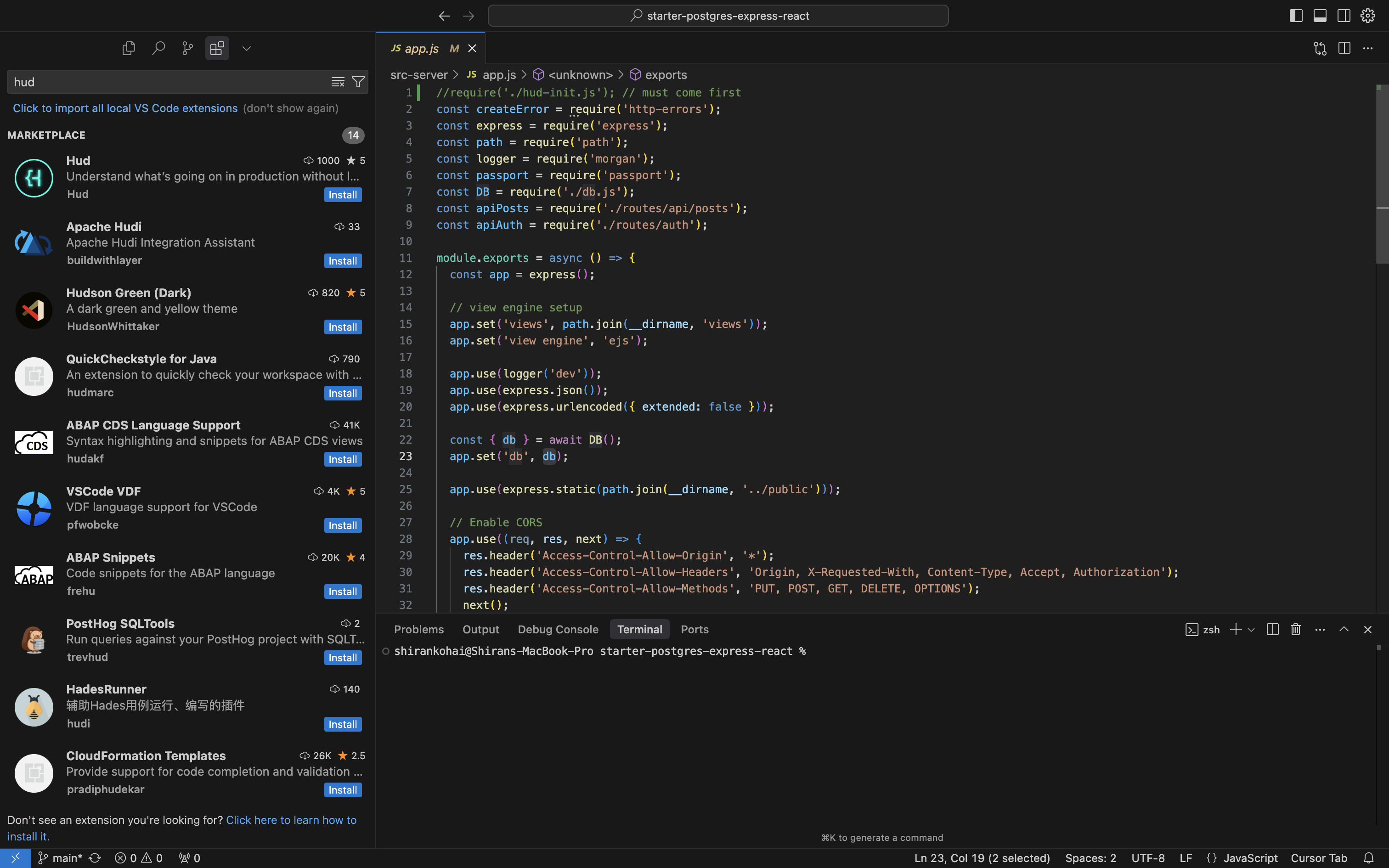
Click “Install“

Click the “Sign in” button on the message displayed in the bottom left corner or in Hud's bottom panel. Then, sign in through your web browser using your organization account.
Make sure to select “Open Cursor” on the web browser pop-up to complete the process.

You’re all set! Check out the following guide to get to know your new extension.
Updated 9 days ago
What’s Next
Did this page help you?