

Added
Service Usage Visibility and Control
April 19th, 2026
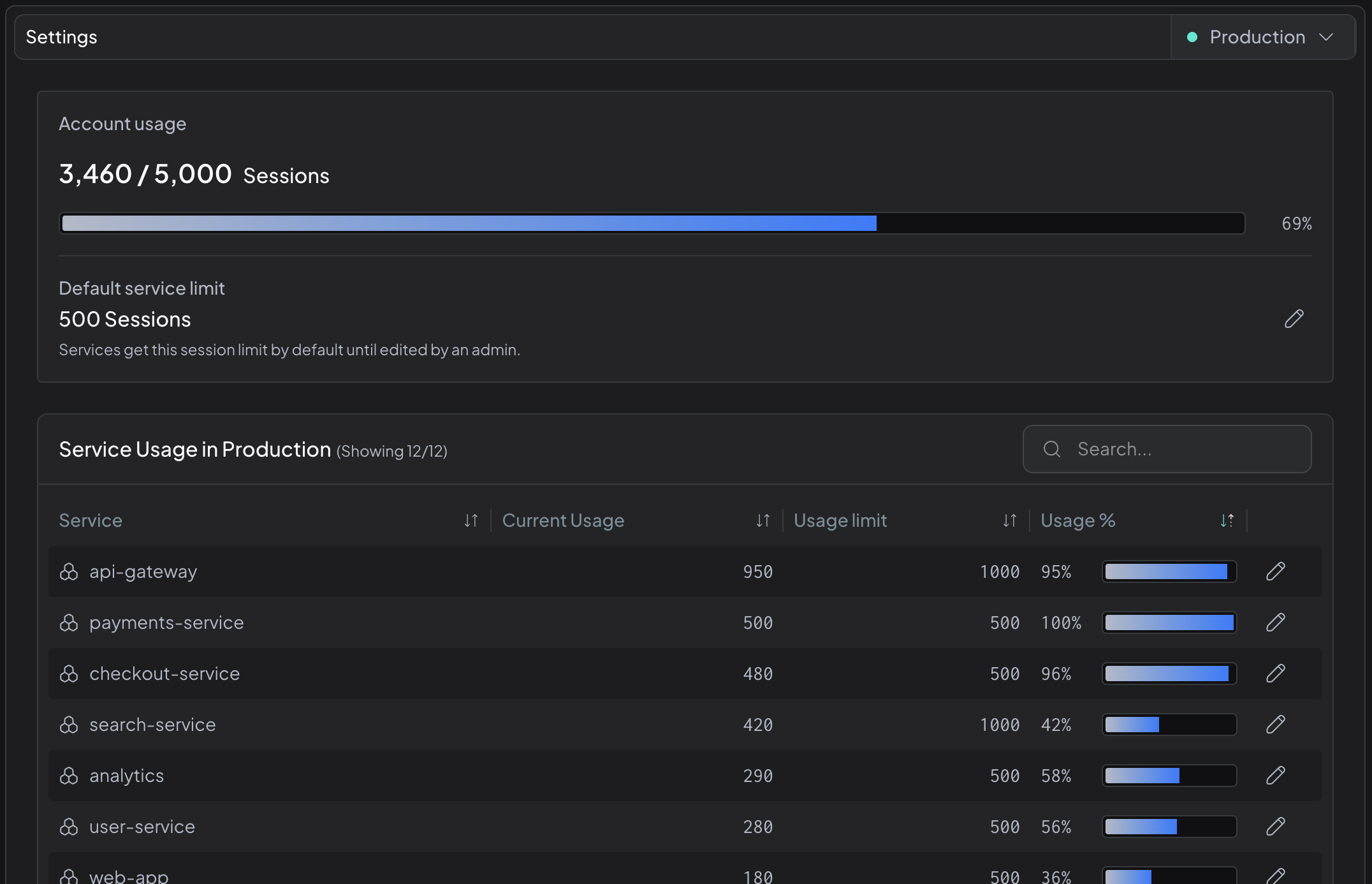
Control how capacity is allocated across your services, directly from the web app.
What's New
- A new Account Usage page in Settings showing total session capacity, per-service usage, limits, and usage percentages
- Admins can adjust the session limit for any service. Protect critical services with more room, or cap high-growth services so other teams aren't squeezed out
- Configure the default session limit that applies to every new service automatically
Why It Matters
Scale Hud across more teams with confidence. Set per-service limits so no single service monopolizes your account's capacity, and rebalance allocation as priorities shift. Onboard new teams without disrupting what's already running.
How to Use
Go to Settings > Account Usage to view your per-service breakdown and start adjusting limits.
Only account admins can change service limits. To grant admin access to a teammate, contact support and we'll be happy to assist.