

Added
Machine Metrics — now alongside your code metrics
June 3rd, 2026
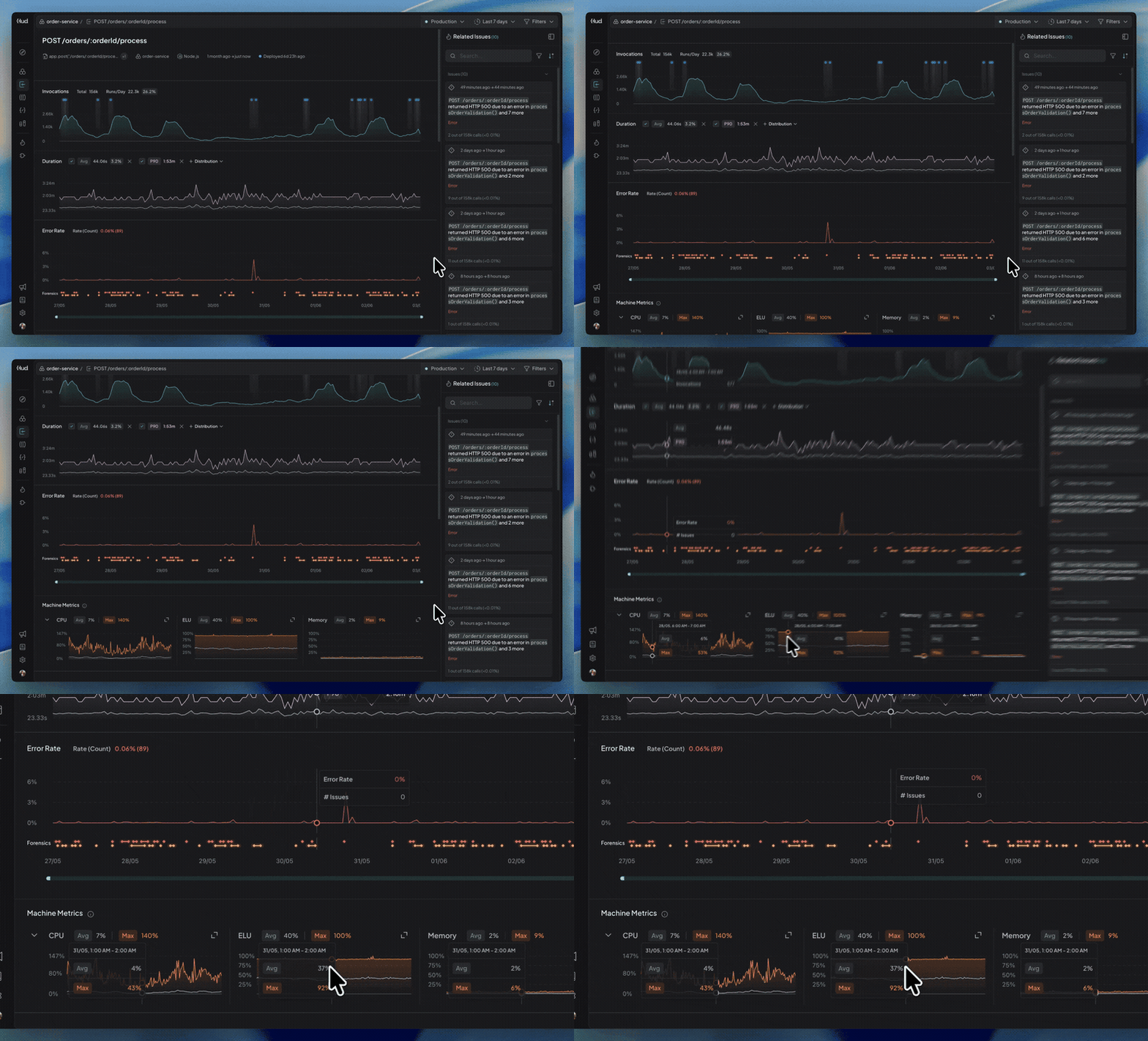
A duration spike plus CPU saturation tells a very different story than a duration spike alone. When you're investigating a slow endpoint or a spike in errors, you can immediately see whether the machine was under pressure, or whether the code itself is the problem.
What's New
- Service-level machine metrics on every entity page — The average and max CPU, Memory (Python & Node.js), and ELU (Node.js) appear as side-by-side graphs on your Endpoint, Queue, and Function pages, reflecting the service process hosting the entity.
- Expand any metric — Click to expand a single graph to full width, matching the size and alignment of your other graphs.
- Fully synced — Time-range brushing, zoom, and hover info stay in sync across all graphs on the page.
Try it out
Open any endpoint, queue, or function page, filter by a specific pod or Hud session, and look for the Machine Metrics section below the main graphs.