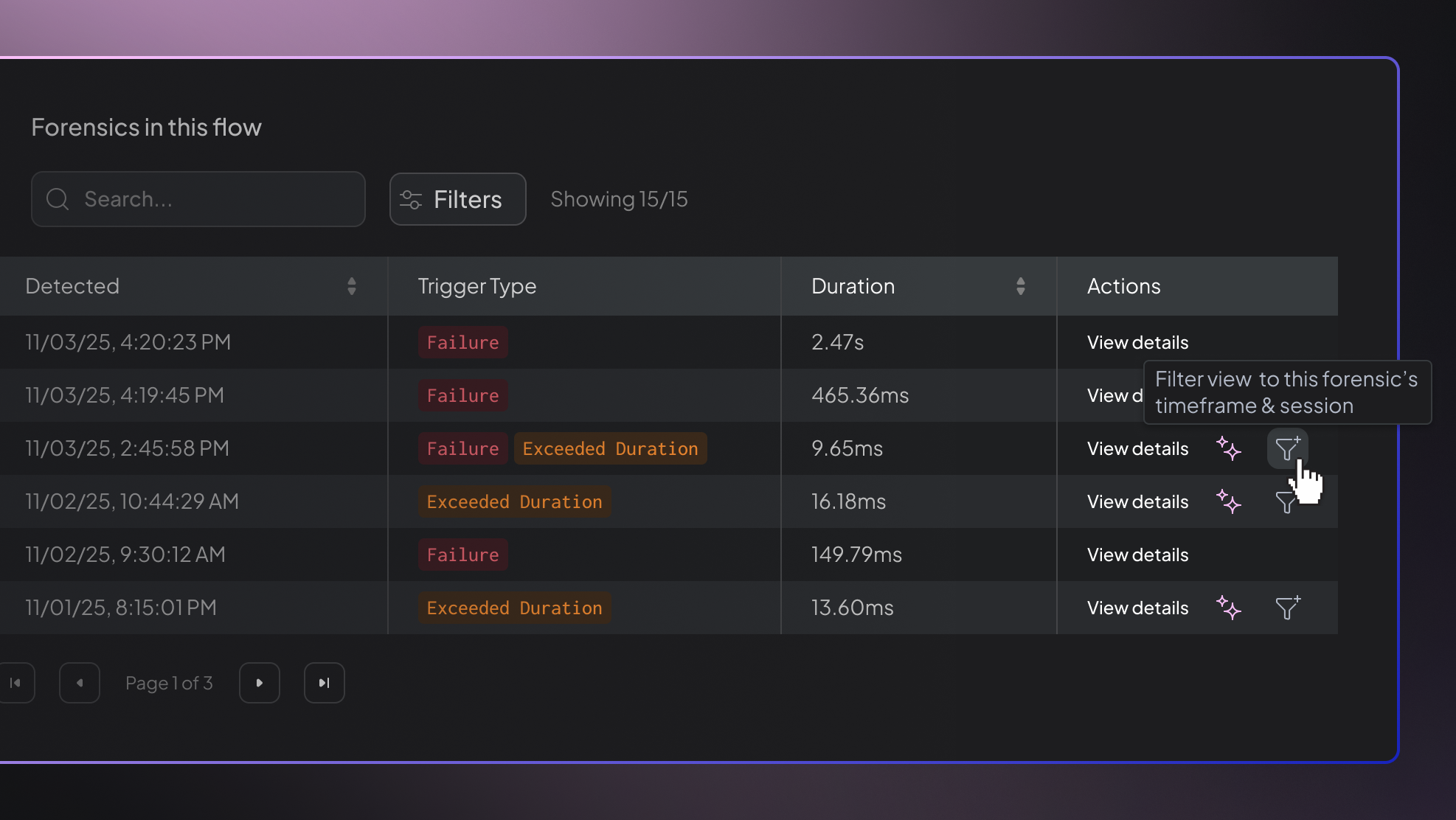

Forensics Session Filtering
You can now filter the entire flow by the session and timeframe of a forensic sample, making it easier to understand what happened during a specific performance outlier.
Details
Hud now includes a Filter by this forensic action on performance forensic samples. When applied, Hud automatically sets the global timeframe to the forensic window and filters the “Functions in this flow” table by the relevant session ID.
Navigation is session-aware, so clicking into any function keeps the same session filter applied as you move through the flow.
Why It Matters
Performance regressions often impact only a single session. Filtering the app to match the exact session and timeframe of the outlier removes noise and helps teams focus on the precise operations that caused the slowdown.
How to Access
Open any Performance Forensics sample and select Filter by this forensic. The flow and functions data will immediately update to reflect that specific session.