
Filters Updates - Save Your Preferred Views and Work More Efficiently
December 8th, 2025
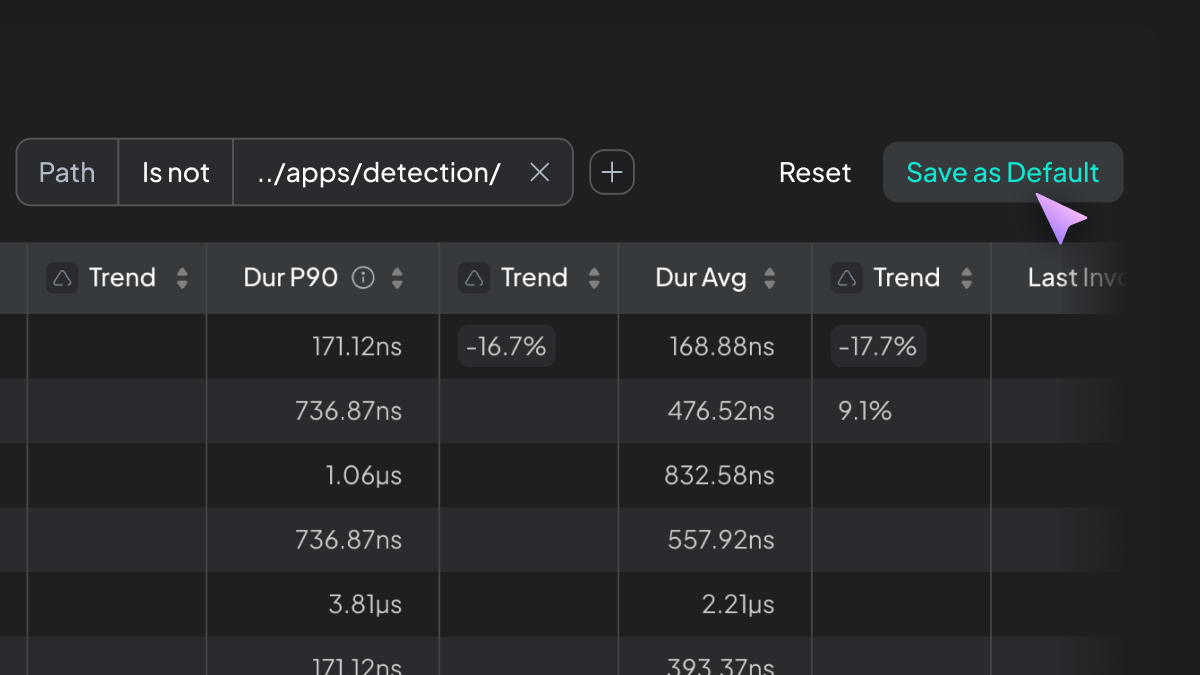
You can now save your preferred filters as defaults and use new exclusion filters to keep irrelevant data out of view. These updates help you start every session with a clear, focused workspace.
Details
- Persistent filters: Use "Save as Default" to store your current filter set as your personal default for each table.
- New "Not" filters: Exclude specific folders, files, or paths across Endpoints, Functions, Queues, and Services.
Why It Matters
These improvements reduce repetitive setup and help you concentrate on the endpoints, functions, and queues that are actually relevant to your investigation. You get a consistent, streamlined view every time you return to Hud.
How to Access
Open any table, set your filters, and select "Save as Default" to make them persistent across sessions.